内容
概述
Type-H4 是一款面向灵活角色自定义与表现力丰富直播场景的 Live2D 模型。
所需软件
使用本 Live2D 模型需要支持 Live2D Cubism SDK 5.0 / Cubism 5.0 模型 的软件。VTube Studio 为主要测试环境。模型附带基础 VTube Studio 配置文件。扩展面捕参数推荐使用 VBridger。若使用其他软件,请查阅该软件文档了解如何加载与设置模型。
限制说明
每款可自定义模型都包含既定的部件与组合,因此并非所有角色设计都能完全复刻。有些用户可以接受相近的发型或服装,有些则要求每个细节都一致。请查阅该模型的自定义参数列表,自行判断可用选项是否符合预期。模型作者无法替您做出 是否能使用该模型还原您的设计 的主观判断。
进阶修改(例如在贴图上绘制新部件)是可能的,但需要图像编辑与绘画经验。
请勿假定其他可自定义模型具备的功能在此同样可用,每位模型制作者定义的自定义系统各不相同。
文件列表
| 数量 | 文件 | 类别 | 说明 |
|---|---|---|---|
| 1 | Type-H4\Type-H4.moc3 | Live2D 运行时 | 模型文件 |
| 1 | Type-H4\Type-H4.model3.json | Live2D 运行时 | 模型链接文件 |
| 1 | Type-H4\Type-H4.cdi3.json | Live2D 运行时 | 参数显示名 |
| 1 | Type-H4\Type-H4.physics3.json | Live2D 运行时 | 物理设置 |
| 4 | Type-H4\Type-H4.8192\*.png | Live2D 运行时 | 贴图文件 |
| 8 | Type-H4\Motions\*.motion3.json | Live2D 运行时 | 动画文件 |
| 47 | Type-H4\Expressions\*.exp3.json | Live2D 运行时 | 表情文件 |
| 1 | Type-H4\Type-H4.vtube.json | VTube Studio | VTube Studio 模型设置 |
| 1 | Type-H4\Icon.png | VTube Studio | 模型图标 |
| 5 | Sample Characters\*.exp3.json | Live2D 运行时 | 预设角色 |
| 1 | 0xLive2DModels.vbridger | VBridger | VBridger setup file |
| 1 | LICENSE.txt | 文档 | 许可协议(英文) |
| 1 | 许可协议.txt | 文档 | 许可协议(中文) |
功能模式切换
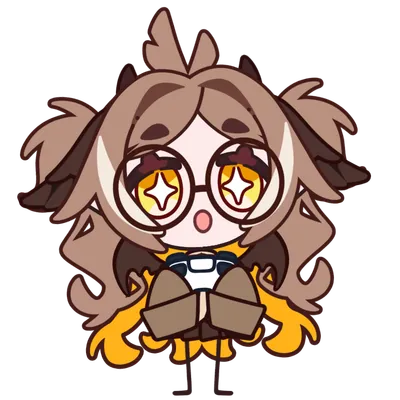
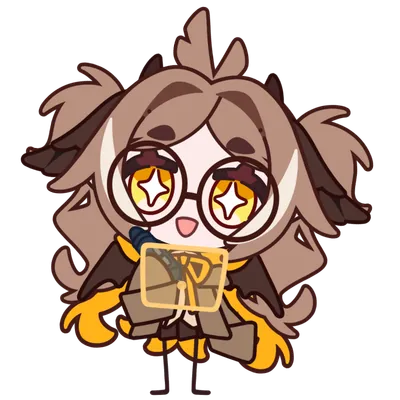
表情切换
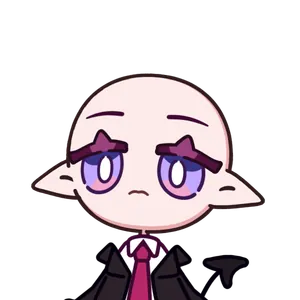
若您不喜欢某个表情的预设参数组合,可在 VTube Studio 或 Live2D Cubism Viewer 的表情编辑器中编辑现有表情,或新建表情。



















姿势切换









服装切换


特殊切换
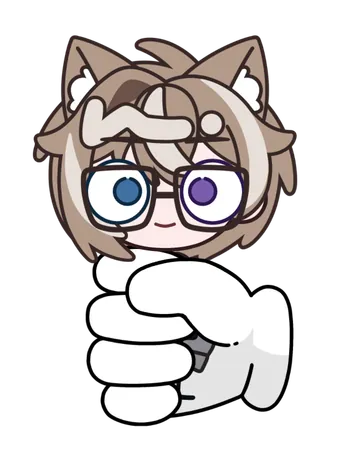
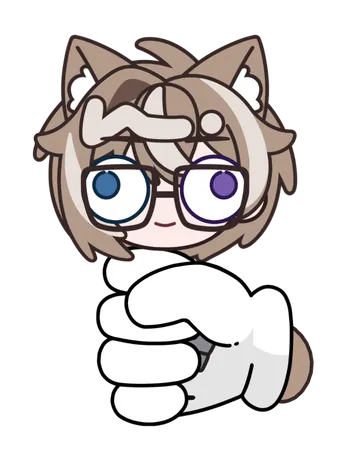
请先开启 Squeeze Hand,再使用 Squeeze 切换来捏模型。
动画





待机动画
跟踪参数
并非所有输入参数都需要有数据,跟踪才能正常工作。在 VTube Studio 中,当没有跟踪器提供数据时,部分扩展输入可能显示为红色;模型仍可在默认面捕下正常使用(基础的眼、嘴、头与身体动作)。
例如,使用摄像头跟踪时,MouthX 通常没有输入。这是摄像头跟踪的限制。嘴巴不会左右平移,但仍可微笑与张合,因为大多数跟踪器都支持 MouthSmile 与 MouthOpen。
手柄模式使用 VTube Studio 原生的手柄跟踪输入。在 Controller Widget 中选择手柄即可,无需第三方插件。
全部可用参数请参阅官方 VTube Studio 手册。部分插件允许用户自行添加跟踪参数。
| 参数 | 类型 | 映射 / 要求 |
|---|---|---|
| Eye Open Left | 面捕 | 绑定到 EyeOpenLeft |
| Eye Open Right | 面捕 | 绑定到 EyeOpenRight |
| EyeLeftX | 面捕 | 绑定到 EyeRightX; 如果您的面捕配置支持 EyeLeftX,您可以将其绑定到 EyeLeftX |
| EyeLeftY | 面捕 | 绑定到 EyeRightY; 如果您的面捕配置支持 EyeLeftY,您可以将其绑定到 EyeLeftY |
| EyeRightX | 面捕 | 绑定到 EyeRightX |
| EyeRightY | 面捕 | 绑定到 EyeRightY |
| BrowLeftY | 面捕 | 绑定到 BrowLeftY |
| BrowRightY | 面捕 | 绑定到 BrowRightY |
| BrowForm | 面捕 | 绑定到 MouthSmile |
| BrowInnerUp | 面捕 | 需要 iOS 跟踪或 VBridger;绑定到 BrowInnerUp |
| Mouth Form | 面捕 | 绑定到 MouthSmile |
| Mouth Open | 面捕 | 绑定到 MouthOpen |
| MouthX | 面捕 | 需要 iOS 跟踪或 VBridger;绑定到 MouthX |
| JawOpen | 面捕 | 需要 iOS 跟踪或 VBridger;绑定到 JawOpen |
| MouthShrug | 面捕 | 需要 VBridger;绑定到 MouthShrug |
| MouthFunnel | 面捕 | 需要 VBridger;绑定到 MouthFunnel |
| MouthPucker | 面捕 | 需要 VBridger;绑定到 MouthPucker |
| MouthPressLipOpen | 面捕 | 需要 VBridger;绑定到 MouthPressLipOpen |
| CheckPuff | 面捕 | 需要 iOS 跟踪或 VBridger;绑定到 CheekPuff |
| AngleX | 面捕 | 绑定到 FaceAngleX |
| AngleY | 面捕 | 绑定到 FaceAngleY |
| AngleZ | 面捕 | 绑定到 FaceAngleZ |
| BodyX | 面捕 | 绑定到 FaceAngleX |
| BodyY | 面捕 | 绑定到 FaceAngleY |
| BodyZ | 面捕 | 绑定到 FaceAngleZ |
| BodyLean | 面捕 | 绑定到 FacePositionZ |
| Breath | 面捕 | 自动呼吸 |
| MousePositionX | 鼠标跟踪 | 绑定到 MousePositionX |
| MousePositionY | 鼠标跟踪 | 绑定到 MousePositionY |
| ShakeX | 鼠标跟踪 | 绑定到 MousePositionX |
| ShakeY | 鼠标跟踪 | 绑定到 MousePositionY |
| LStickX | 手柄跟踪 | 绑定到 ControllerStickLeftX |
| LStickY | 手柄跟踪 | 绑定到 ControllerStickLeftY |
| LSButton | 手柄跟踪 | 绑定到 ControllerStickPressLeft |
| LB | 手柄跟踪 | 绑定到 ControllerShoulderLeft |
| LT | 手柄跟踪 | 绑定到 ControllerTriggerLeft |
| LButton_UP | 手柄跟踪 | 绑定到 ControllerDPadY(上) |
| LButton_DOWN | 手柄跟踪 | 绑定到 ControllerDPadY(下) |
| LButton_LEFT | 手柄跟踪 | 绑定到 ControllerDPadX(左) |
| Lbutton_RIGHT | 手柄跟踪 | 绑定到 ControllerDPadX(右) |
| RStickX | 手柄跟踪 | 绑定到 ControllerStickRightX |
| RStickY | 手柄跟踪 | 绑定到 ControllerStickRightY |
| RSButton | 手柄跟踪 | 绑定到 ControllerStickPressRight |
| RB | 手柄跟踪 | 绑定到 ControllerShoulderRight |
| RT | 手柄跟踪 | 绑定到 ControllerTriggerRight |
| RButton_UP | 手柄跟踪 | 绑定到 ControllerTriangle |
| RButton_DOWN | 手柄跟踪 | 绑定到 ControllerCross |
| RButton_LEFT | 手柄跟踪 | 绑定到 ControllerSquare |
| RButton_RIGHT | 手柄跟踪 | 绑定到 ControllerCircle |
默认快捷键
默认快捷键可在 VTube Studio 中按个人偏好修改。详见快捷键设置(切换)。
| 类别 | 表情 / 功能 | 默认快捷键 |
|---|---|---|
| 跟踪模式 | 手柄模式 | LeftControl+LeftShift+C |
| 跟踪模式 | 数位板模式 | LeftControl+LeftShift+T |
| 功能 | 重载贴图 | NUM0+. |
| 功能 | TexturePaint | RightShift+P; 将部件颜色设置为白色(原始贴图颜色) |
| 功能 | CustomTexture | RightShift+T; 开启所有自定义贴图部件 |
| 表情切换 | EXP - Angry | LeftShift+1 |
| 表情切换 | EXP - Anxious | LeftShift+2 |
| 表情切换 | EXP - Cry | LeftShift+3 |
| 表情切换 | EXP - Dizzy | LeftShift+4 |
| 表情切换 | EXP - Exclamation | LeftShift+5 |
| 表情切换 | EXP - Face Blush | LeftShift+6 |
| 表情切换 | EXP - Hair OFF | LeftShift+7 |
| 表情切换 | EXP - Loading | LeftShift+8 |
| 表情切换 | EXP - Long Neck | LeftShift+9 |
| 表情切换 | EXP - Love | LeftShift+0 |
| 表情切换 | EXP - Nose Blush | LeftControl+1 |
| 表情切换 | EXP - Nose Shadow | LeftControl+2 |
| 表情切换 | EXP - Notice | LeftControl+3 |
| 表情切换 | EXP - Question | LeftControl+4 |
| 表情切换 | EXP - Round Eyes | LeftControl+5 |
| 表情切换 | EXP - Shocked | LeftControl+6 |
| 表情切换 | EXP - Sparkling | LeftControl+7 |
| 表情切换 | EXP - TAT | LeftControl+8 |
| 表情切换 | EXP - Tear | LeftControl+9 |
| 表情切换 | EXP - Tired | LeftControl+0 |
| 服装切换 | OUTFIT - Glasses | O+1 |
| 服装切换 | OUTFIT - Spiral Glasses | O+2 |
| 姿势切换 | POSE - Book | RightShift+1 |
| 姿势切换 | POSE - Bowl | RightShift+2 |
| 姿势切换 | POSE - Coffee | RightShift+3 |
| 姿势切换 | POSE - Crowbar | RightShift+4 |
| 姿势切换 | POSE - Heart | RightShift+5 |
| 姿势切换 | POSE - Lightsticks | RightShift+6 |
| 姿势切换 | POSE - Mic | RightShift+7 |
| 姿势切换 | POSE - Money | RightShift+8 |
| 姿势切换 | POSE - Phone | RightShift+9 |
| 特殊切换 | INTERACT - Squeeze | LeftShift+S |
| 特殊切换 | INTERACT - Squeeze Hand | Alt+S |
| 特殊切换 | INTERACT - Stop Shake | Alt+S |
| 动画 | Anim Bits Drop | A+1 |
| 动画 | Anim Head Pat | A+2 |
| 动画 | Anim Lemon Licking | A+3 |
| 动画 | Anim Shake | A+4 |
| 动画 | Anim Squeeze | A+5 |
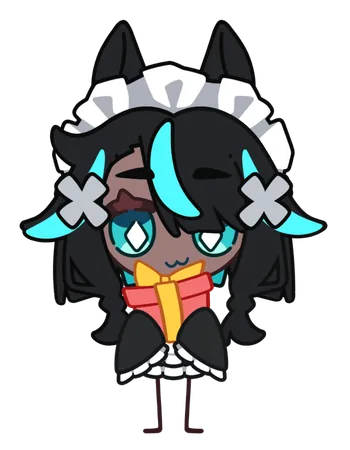
| 动画 | Anim Gift | A+6 |
| 鼠标 | Mouse Left Click | 鼠标左键 |
| 鼠标 | Mouse Middle Click | 鼠标中键 |
| 鼠标 | Mouse Right Click | 鼠标右键 |
| 预设 | Preset Character 1 | NUM1 |
| 预设 | Preset Character 2 | NUM2 |
| 预设 | Preset Character 3 | NUM3 |
| 预设 | Preset Character 4 | NUM4 |
| 预设 | Preset Character 5 | NUM5 |